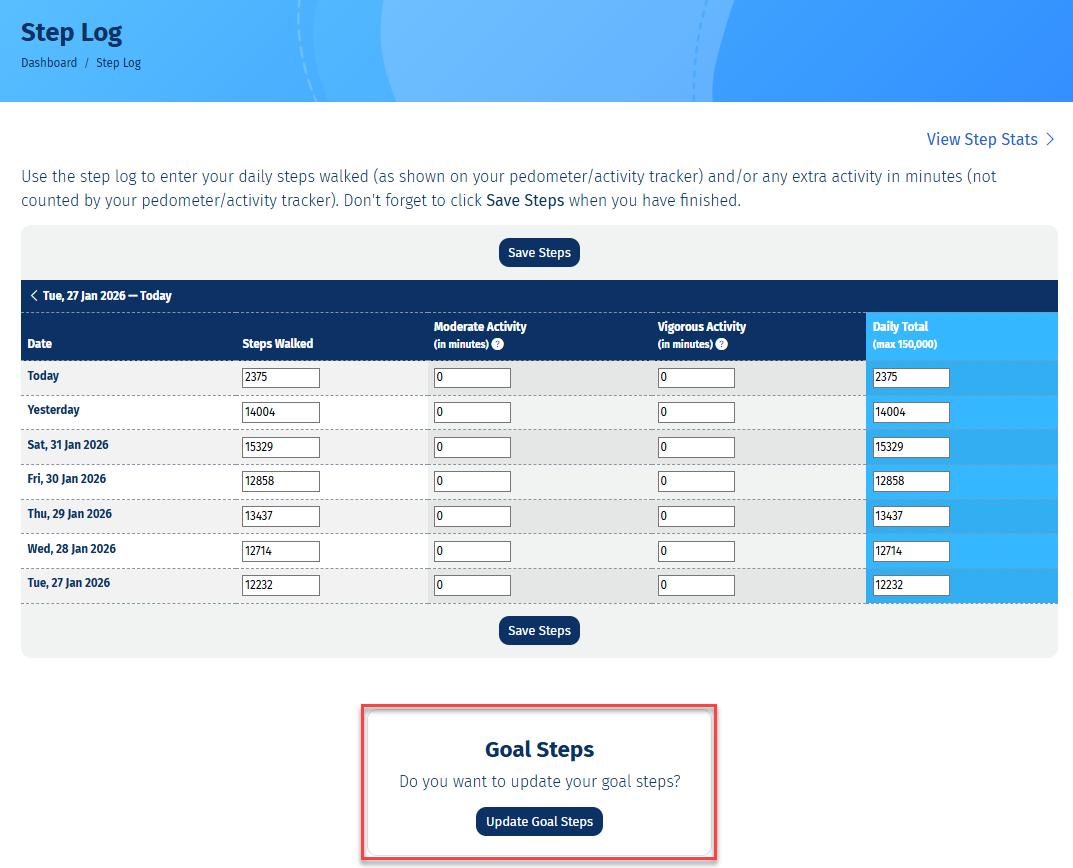
Setting a personalised step goal can help keep you motivated to walk more over time. Goals work best when they reflect your current activity and are reviewed regularly. Tracking your steps for a few days can help you set a realistic starting goal, which you can increase as your activity improves.
An initial Step Goal is set when you register with 10,000 Steps, but we encourage you to check in and update your goal often so it continues to suit you.
To update goal steps, you must be signed in and on your Dashboard.
Dashboard
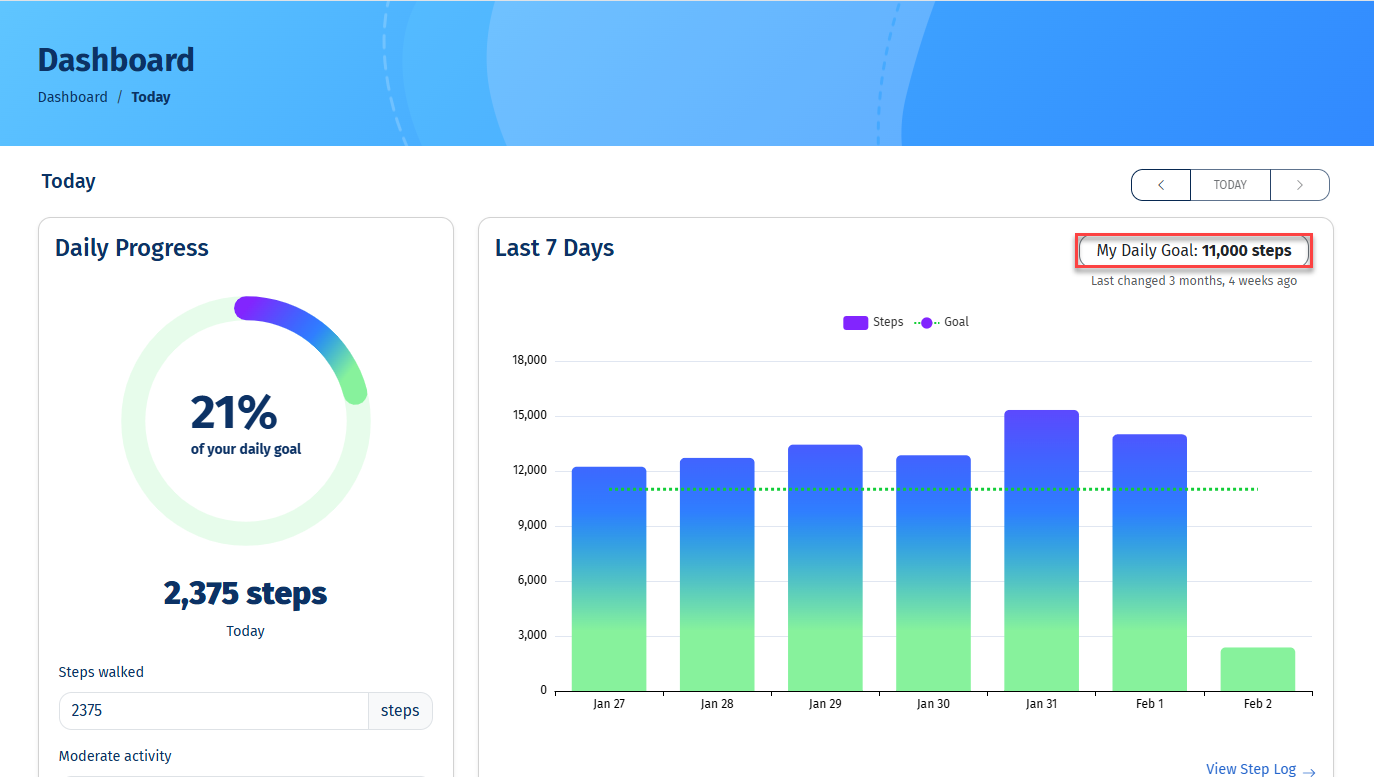
1. Click on 'My Daily Goal' on the Dashboard
Below you can see the date your goal was last updated.
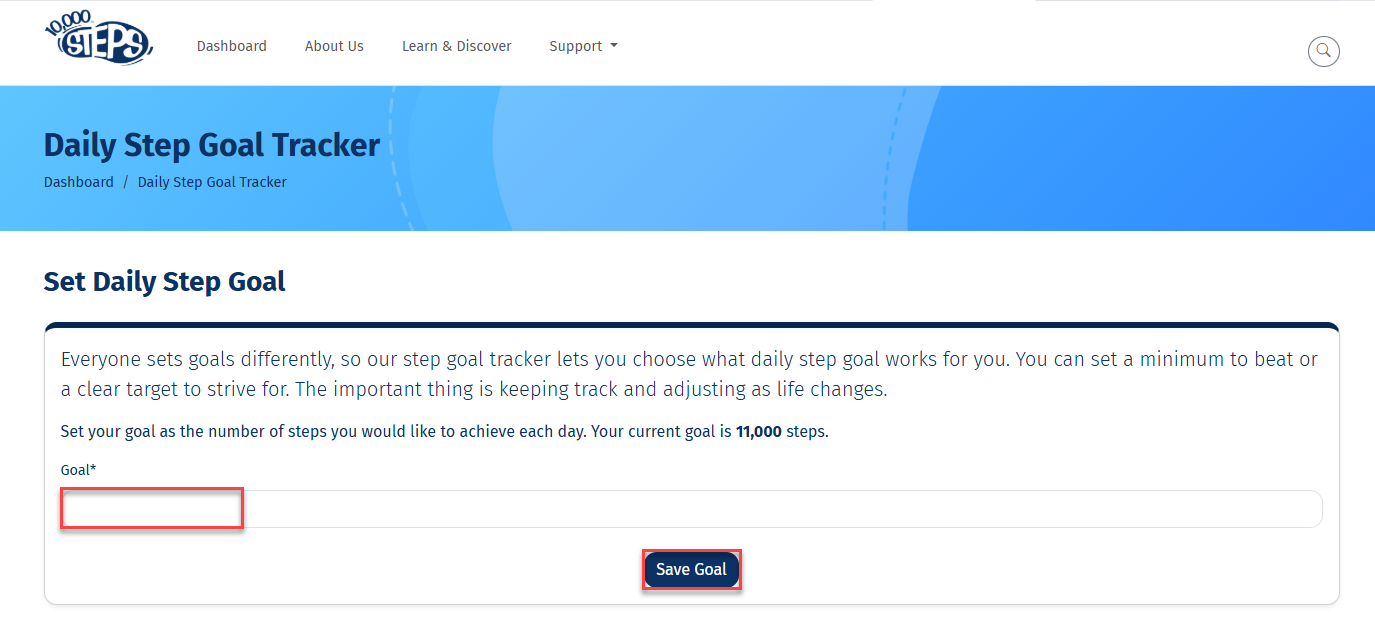
2. Set your goal steps and save
Enter the full number of steps you are aiming to achieve each day, without any full stops or commas.
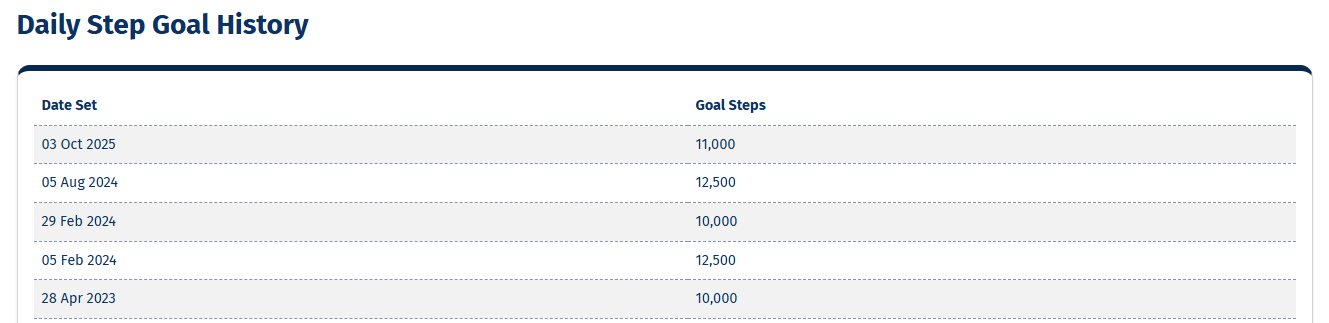
3. View your step goal history
Scroll down to view the history of your daily step goal changes. Looking back at past goals can highlight your progress toward being more active.
1. Scroll down to the bottom of your Step Log and select button 'Update Goal Steps'
Enter your goal steps and save as outlined above.